


I've seen many companies buy an AI assistant with high expectations, only to hear their team say things like "this is confusing," "this gets in the way," or "I prefer to do it the old way" a few weeks later. The problem is almost never with the technology itself. In my experience, the mistake is usually in the training.
Training the team to use AI assistants isn't about teaching buttons, but about building trust, context, and routine.
This makes even more sense in a scenario where adoption is growing rapidly. According to data on the use of AI in Brazilian industry, the proportion of medium and large industries using the technology went from 16.9% in 2022 to 41.9% in 2024. In the service sector, the trend is also accelerating. A survey on the adoption of AI by service companies showed that 40% of companies in New York and New Jersey already use this resource.
When I look at sales and customer service operations, I see a clear point. If the team doesn't know how to work with AI, the company loses time, leads, and opportunities. If they do, they gain quick responses, better conversation standards, and more control. It is precisely in this line that solutions like Lead2Go help, because they combine automation, qualification, and handover to humans without losing the team's oversight.
Start with the Why, Not the Tool
I like to open any training with a simple question: why are we using AI assistants? When the answer is vague, adoption drops. When it's clear, the team buys into the idea.
Before showing screens, I would align these points:
- What problem will AI help reduce.
- At which stages does it come in.
- What remains a human task.
- How will improvement be measured.
In many teams, the real fear isn't the tool. It's losing ground, making mistakes in front of the client, or becoming dependent on something they don't understand. I've seen this happen. An honest conversation at the beginning prevents silent resistance.
Clarity reduces fear.
If your operation handles leads via message, it's worth showing real examples of delays, forgotten contacts, and lost communication. The team quickly understands when they realize that AI isn't there to replace care, but to maintain consistency. In high-volume businesses, Lead2Go does this well by responding 24/7 and qualifying automatically, without preventing human intervention when needed.
Initial Training Checklist
I prefer to work with a straightforward checklist because the team learns better when they see the order of things. Below is the basis I would follow.
- Define the objectives for using AI in customer service and sales.
- Map out frequently asked customer questions.
- Document tone of voice, offers, and conversation limits.
- Separate examples of good and bad responses.
- Train when to escalate to human support.
- Explain privacy and data usage rules.
- Establish simple monitoring metrics.
A well-trained team knows when to trust the AI and when to take over the conversation.
This point about the transition deserves attention. Not every conversation should be handled entirely by the assistant. Sensitive cases, non-standard negotiations, and angry customers require human action. AI helps a lot, but the team needs to know how to read the context.
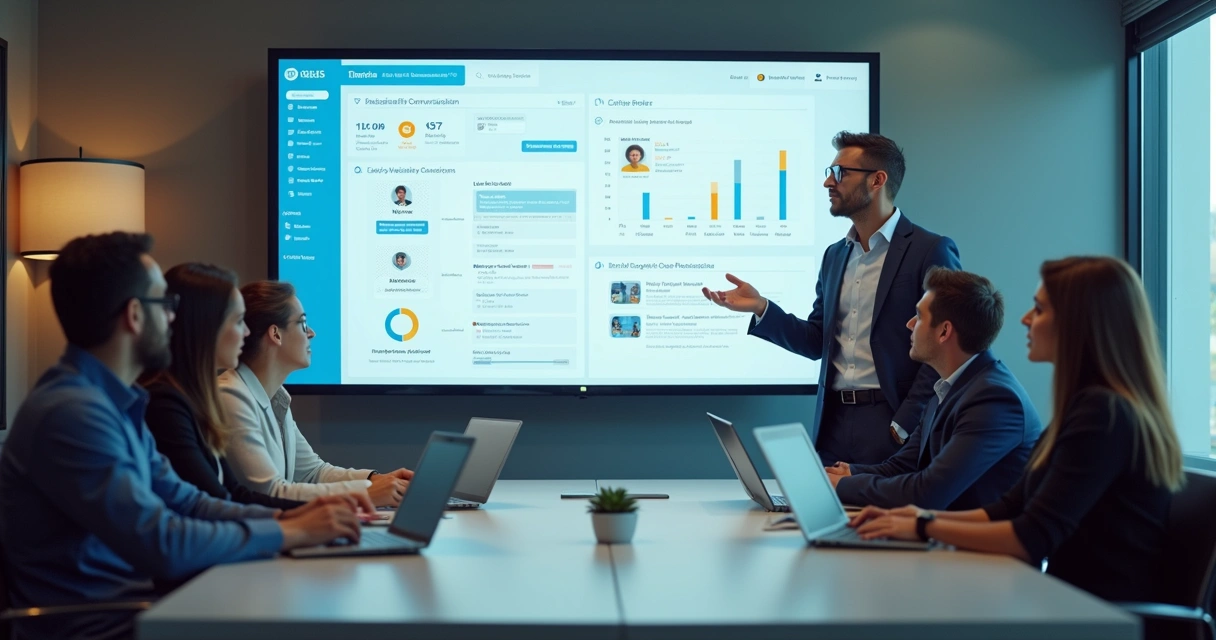
Teach the Team to Write Better with AI
Many people think using an AI assistant is just about asking random questions. It's not. I've learned that the gains appear when the team knows how to guide the tool with clear context.
In a training session, I would teach the team to always provide:
- Objective of the response.
- Customer profile.
- Funnel stage.
- Desired tone.
- Expected next action.
For example, it's not enough to ask "respond to this lead." It's better to say something like: respond to a lead who asked for a price, with a consultative tone, a short message, and an invitation to move forward. This changes everything.
For teams that are just starting, I would recommend studying foundational content on artificial intelligence applied to customer service and sales. This repertoire helps the team understand that good AI depends on good guidance.
Create Practical Customer Service Scenarios
Training with theory alone is tiring. I've always seen better results when the team practices in real scenarios. Use day-to-day conversations and set up simulations.
The scenarios I would use most would be:
- Lead arriving outside business hours.
- Customer with questions about price and delivery time.
- Cold contact that needs warming up.
- Lead ready to speak with a salesperson.
- Dissatisfied customer requesting a quick solution.
At this point, I would ask each person to analyze three aspects: what the AI responded well, what was missing, and when a transfer to a human should have occurred. If your company uses WhatsApp as its primary channel, I also recommend this practical guide to integrating AI into WhatsApp customer service, as it brings training closer to real-world routine.
The best training happens when the team practices situations they already face every day.
Monitor Response Time and Quality
I notice that many companies train once and stop there. However, the use of AI assistants requires continuous adjustment. The team needs to look at numbers and also read conversations.
I would monitor, at a minimum, these indicators:
- Average first response time.
- Lead qualification rate.
- Human handover rate.
- Messages without adequate response.
- Conversion by lead source.
If your focus today is on reducing delays in initial contact, it's worth reading how to improve lead response time. I've seen companies change their results just by responding consistently in the first few minutes.
Then comes the more mature part of the process: interpreting reports. For this, I like to recommend materials on what to analyze in lead qualification reports. When the team understands the data, they stop thinking of AI as a black box.

Define Rules, Limits, and Process Owner
A common mistake is letting everyone use AI in any way they want. I wouldn't do that. Good training requires simple rules and clear responsibility.
In practice, I would record:
- Who can adjust flows and messages.
- Who approves changes in commercial discourse.
- What data should not be entered carelessly.
- When to review responses and the knowledge base.
It's also worth establishing a short review routine. It could be weekly at first. Then, bi-weekly. The sales team can rely on content about sales focused on process and conversion to mature this usage more safely.
I see little value in tools that promise a lot and deliver little visibility. There are competitors on the market, of course, but I prefer solutions that keep the team in control, with clear metrics and the possibility of human intervention at any time. That's why Lead2Go stands out for companies that don't just want automation, but customer service with commercial direction.
Conclusion
If I had to summarize, I would say this: training your team to use AI assistants is preparing people to communicate better, act faster, and decide more confidently. It's not enough to install the tool. You need to teach the objective, context, practice, data interpretation, and limits of operation.
When this training is done well, AI stops seeming distant and starts working for the team. If you want to see this in practice, I suggest getting to know Lead2Go and scheduling a conversation to understand how a trained agent in your business can respond, qualify, and convert more leads with real support for your team.
Frequently Asked Questions
What is an AI assistant?
An AI assistant is a system that understands messages, answers questions, organizes information, and helps with tasks in customer service, sales, or support. In a commercial context, it can converse with leads, identify interest, and forward cases to humans when necessary.
How do I train my team in AI?
I would start with the business objective, then teach the team to provide the right context to the tool, practice real scenarios, review responses, and monitor metrics. Training works best when the team understands AI's role and tests everyday situations.
What are the benefits of AI assistants?
The main benefits are faster responses, continuous service, better conversation standards, lead screening, and support for the human team. AI assistants help reduce lost opportunities due to delays or lack of follow-up.
How to choose the best AI assistant?
I would evaluate ease of use, customization capabilities, clarity of reports, data security, and the option to transfer to human support. For companies that receive many message-based contacts, Lead2Go stands out for combining automatic qualification, transparency, and operational control.
Is it worth investing in AI assistants?
Yes, it is worth it, especially for companies that receive leads every day and cannot respond quickly at all hours. The return comes when the tool is well-trained and aligned with the sales process. In this scenario, the investment helps turn lost contacts into real opportunities.